Remove Matcha Filter AI
Remove Matcha Filter AI
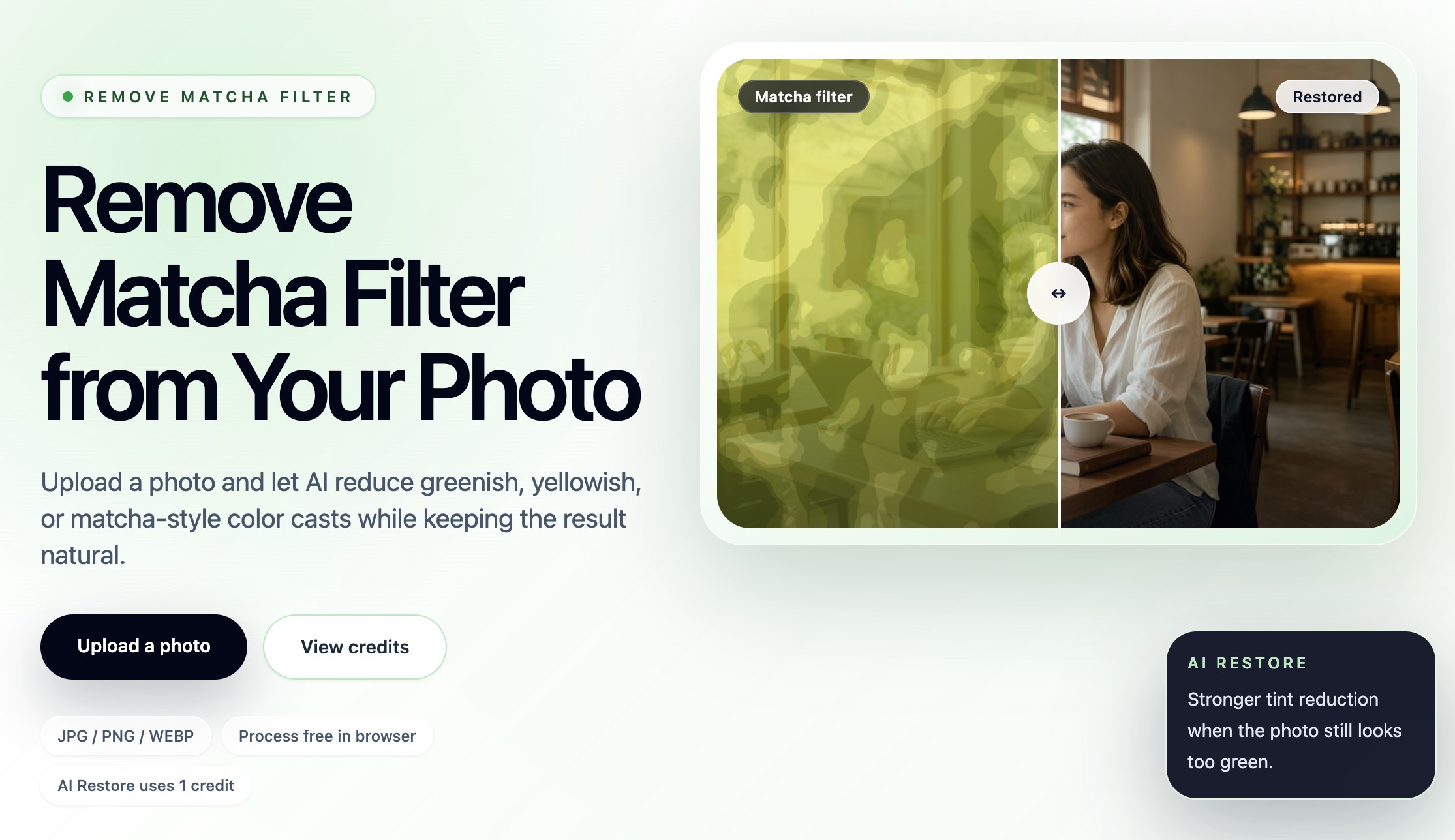
"Remove Matcha Filter AI" is an innovative online tool designed to naturally recover photos by eliminating unwanted green, yellow, or "matcha-style" color casts. It leverages artificial intelligence to restore natural color balance, making images look more vibrant and true-to-life. This tool is ideal for photographers, social media users, content creators, and anyone looking to improve the color accuracy of their digital photos, especially those affected by aesthetic filters or poor lighting.
Bloggers, influencers, and small businesses can significantly enhance their visual content by ensuring product photos, lifestyle shots, and interior images have accurate and appealing colors. This improves engagement, professionalism, and overall brand perception, making your content stand out in a crowded digital landscape.
Beyond specific filters, the tool is highly effective for correcting general color imbalances caused by warm indoor lighting, green walls, or tinted windows. It offers a quick and accessible solution for everyday photo correction without requiring advanced photo editing software or specialized skills.
Key Features
- AI-powered natural color recovery for green, yellow, and muted casts.
- Free in-browser preview of basic cleanup before deeper AI processing.
- "AI Restore" option for stronger tint reduction and enhanced results.
- Prioritizes believable skin tones and neutral whites for natural-looking portraits.
- Supports common image formats: JPG, PNG, and WEBP up to 10MB.
- User-friendly, 3-step upload-to-download flow requiring no editing skills.
Use Cases
Users can easily fix photos taken with trendy "matcha" filters or those that appear off-color due to lighting, making them suitable for sharing on platforms like Instagram, TikTok, or personal albums. It's ideal for restoring natural skin tones in portraits or making food photos look more appetizing, ensuring your visuals always look their best.Bloggers, influencers, and small businesses can significantly enhance their visual content by ensuring product photos, lifestyle shots, and interior images have accurate and appealing colors. This improves engagement, professionalism, and overall brand perception, making your content stand out in a crowded digital landscape.
Beyond specific filters, the tool is highly effective for correcting general color imbalances caused by warm indoor lighting, green walls, or tinted windows. It offers a quick and accessible solution for everyday photo correction without requiring advanced photo editing software or specialized skills.
Pricing Information
The service operates on a credit-based model. Previewing an image in the browser for basic cleanup is free. Each "AI Restore" attempt, which provides stronger tint reduction, costs 1 credit. There is no subscription required, and any unused paid credits remain valid for 12 months from the purchase date.User Experience and Support
The tool features a focused, three-step upload-to-download flow, making it exceptionally user-friendly and accessible even for those without prior photo editing experience. The process involves simply uploading an image, checking the free browser preview, and then deciding whether to proceed with an AI Restore. Support is readily available via email at support@removematchafilter.org for any inquiries or assistance.Technical Details
The platform leverages advanced AI algorithms specifically designed for natural photo recovery and color balance correction. It is a web-based service that efficiently processes JPG, PNG, and WEBP image files, handling sizes up to 10MB. While specific programming languages or frameworks are not disclosed, its AI core ensures intelligent and effective color cast removal.Pros and Cons
- Pros: Easy-to-use 3-step process; AI-driven natural color correction; Free browser preview; Prioritizes natural skin tones; No subscription required; Supports common image formats.
- Cons: Cannot perfectly recreate original pixels (as filters are baked in); Limited by heavy blur, low light, or strong compression; Each AI Restore attempt costs a credit; Credits expire after 12 months.
Conclusion
Remove Matcha Filter AI offers a straightforward and highly effective solution for correcting unwanted color casts in digital photos, making professional-looking color correction accessible to everyone. Explore this intuitive tool to bring natural vibrancy and accurate colors back to your images with ease, enhancing your visual content effortlessly.Comments
Publisher

Launch Date2026-08-30
Platformweb
Pricingfree
Tech Stack
#web
Outbid
View🥇 🥈
🥈 🥉
🥉
Want this spot? Pay what you wantBoost Domain Rating - Boost Domain Rating is a platform to discover and upvote the best tech products. Find top products launching daily.
Boost Domain Rating is a platform to discover and upvote the best tech products. Find top products launching daily.
$35
DirEasy - The Best Directory Boilerplate with AI | DirEasy
The best directory boilerplate, packed with AI, Listings, Payment, Submission, CMS, Blog, Authentication, Newsletter, SEO and more.
$30
Quiz Shot - Solve Any Screenshot Question in Seconds.
AI Study Assistant that answers any screenshot question. Get free AI tutor and step-by-step math and homework help with ChatGPT.
$25